What a part really costs, and what to charge for it
A cost calculator for machine shops. It works out the real cost of a part on your machine (material, cycle time, setup, tooling, machine and operator rate) and suggests a price with markup or margin. A couple of minutes instead of an evening in Excel.
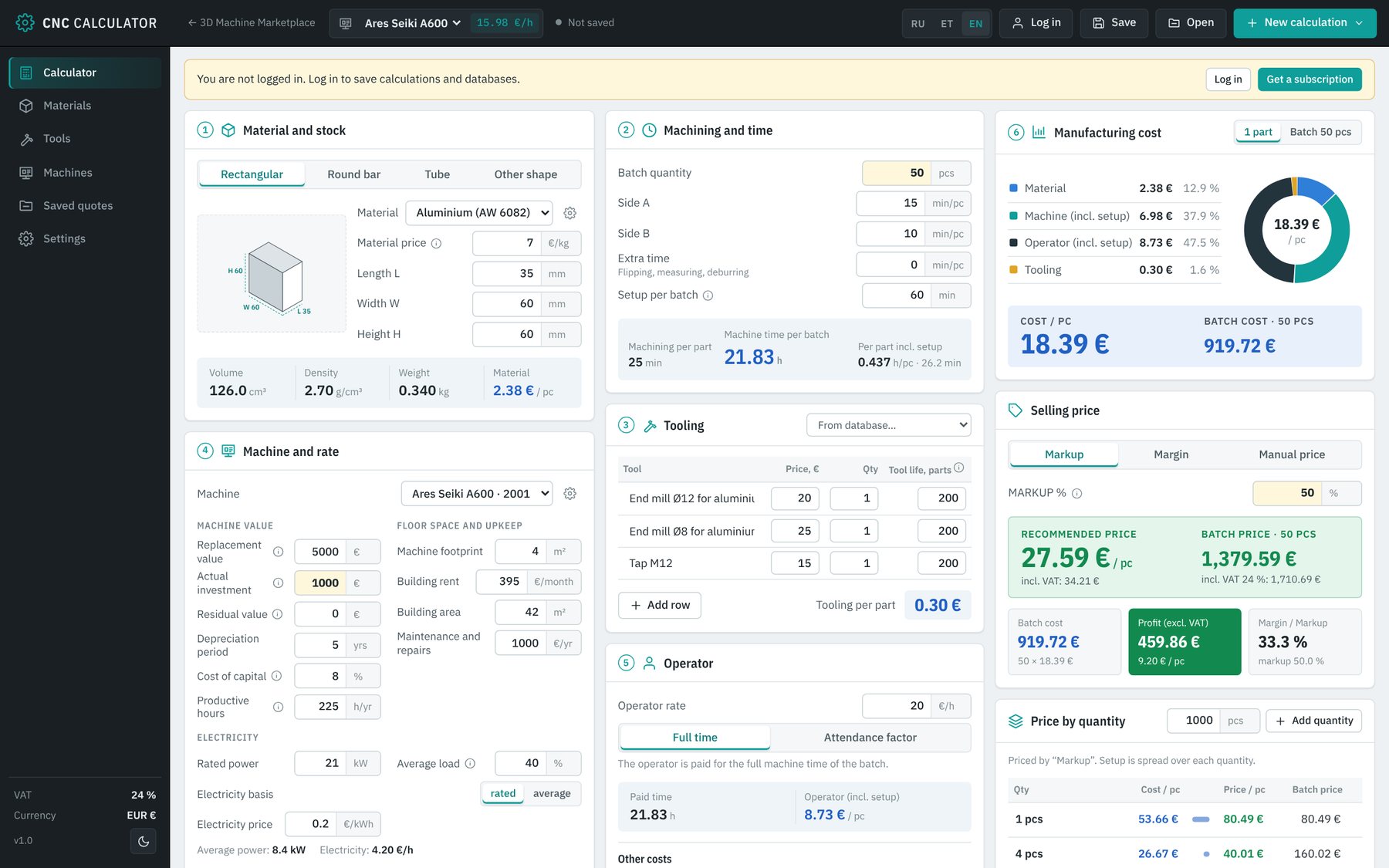
Six clear blocks, from raw stock to the customer price
Every value updates instantly on any change. These are screenshots of the working application.
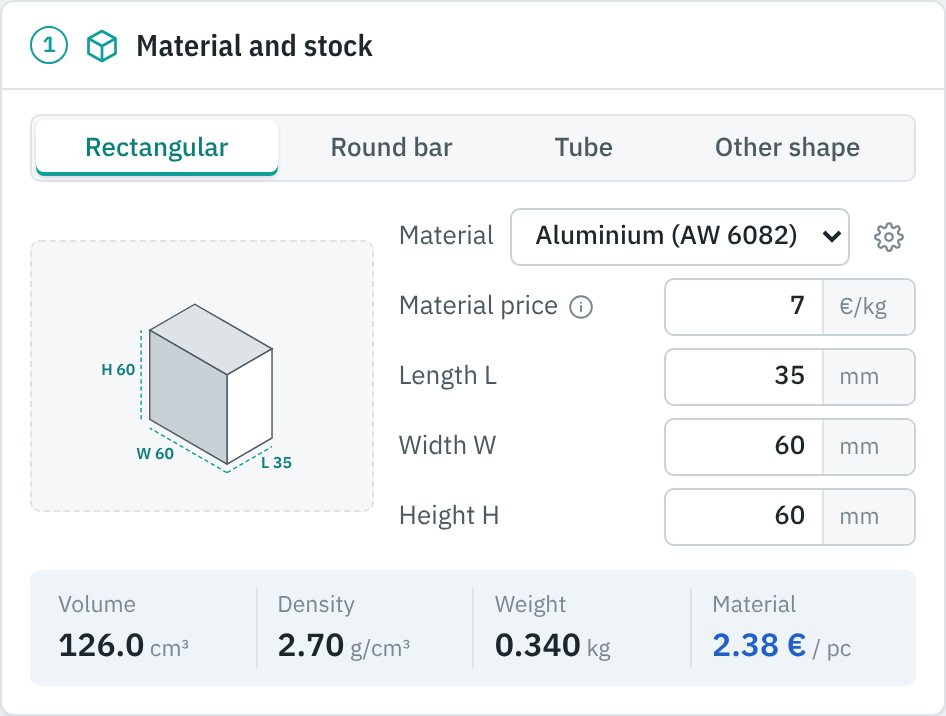
Stock, weight and material cost
Pick the stock shape and material. Volume, weight and material cost per part are calculated automatically.
- Rectangle, round bar, tube or custom weight
- Stock diagram with L × W × H dimensions
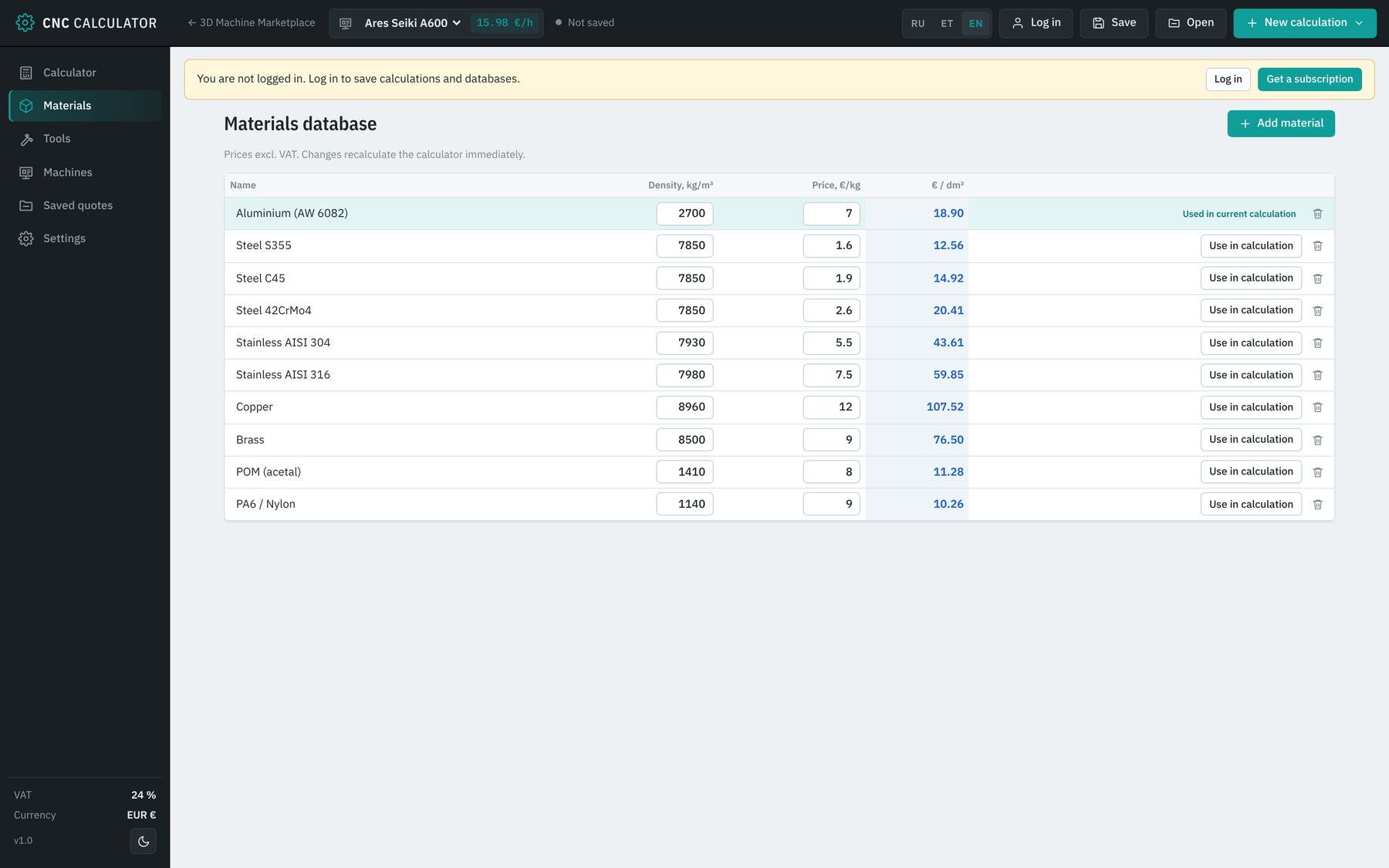
- Own material database: density and €/kg
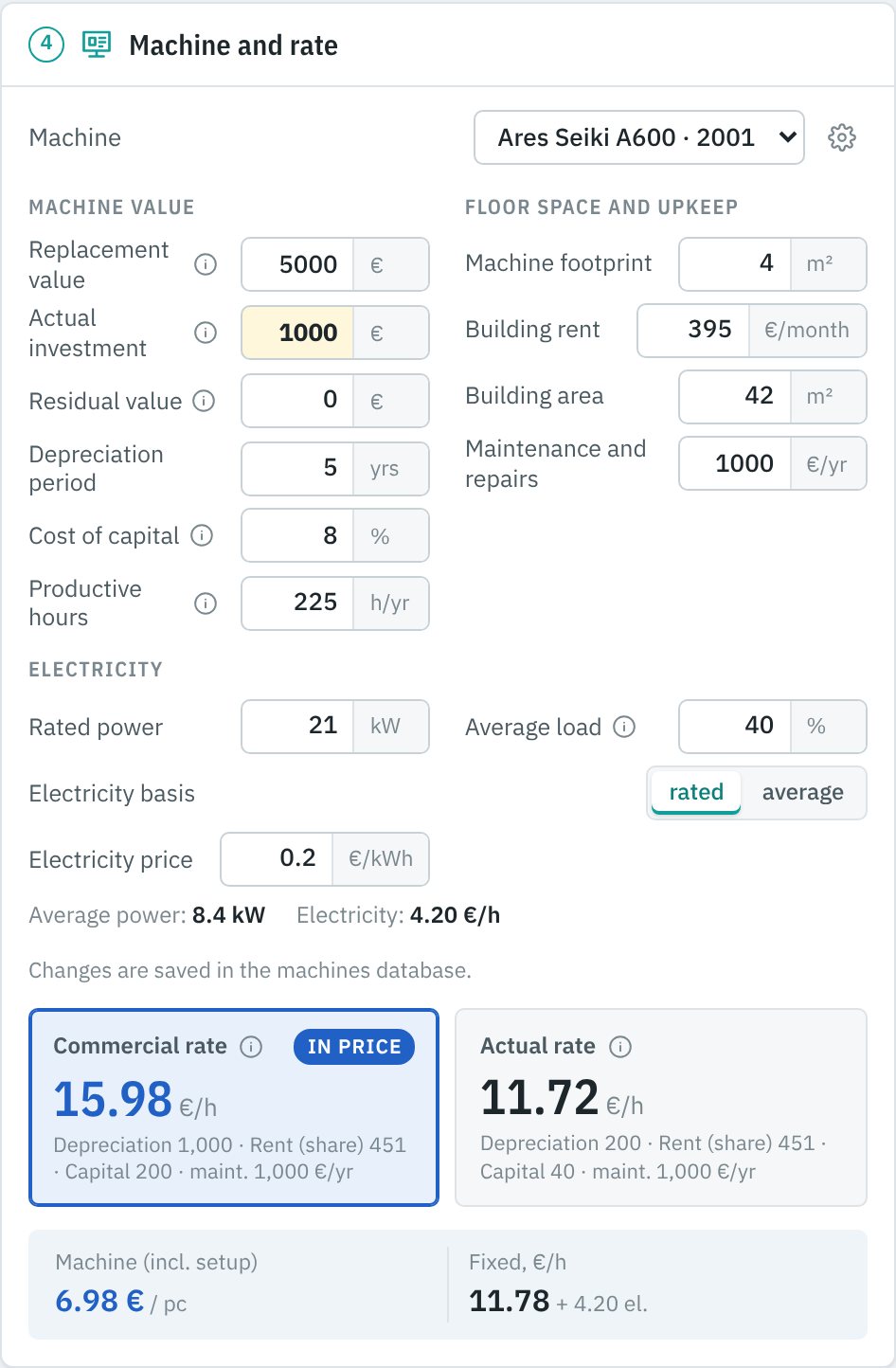
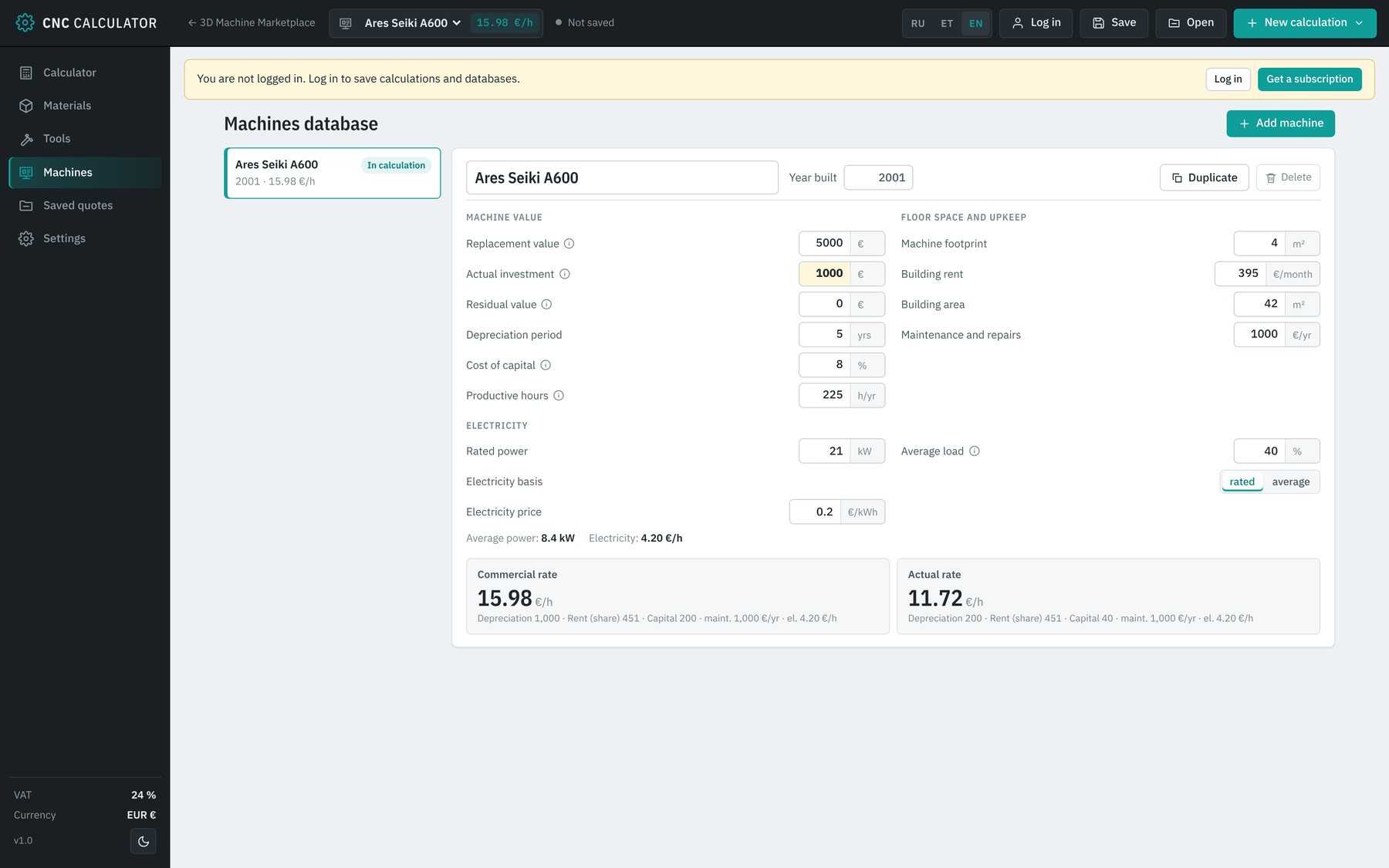
An honest hourly machine rate
The rate is built from the real costs of the machine: a commercial rate from its market value and the actual rate from what was really invested.
- Depreciation, residual value, cost of capital
- Floor-space rent and maintenance
- Electricity at rated power or average load
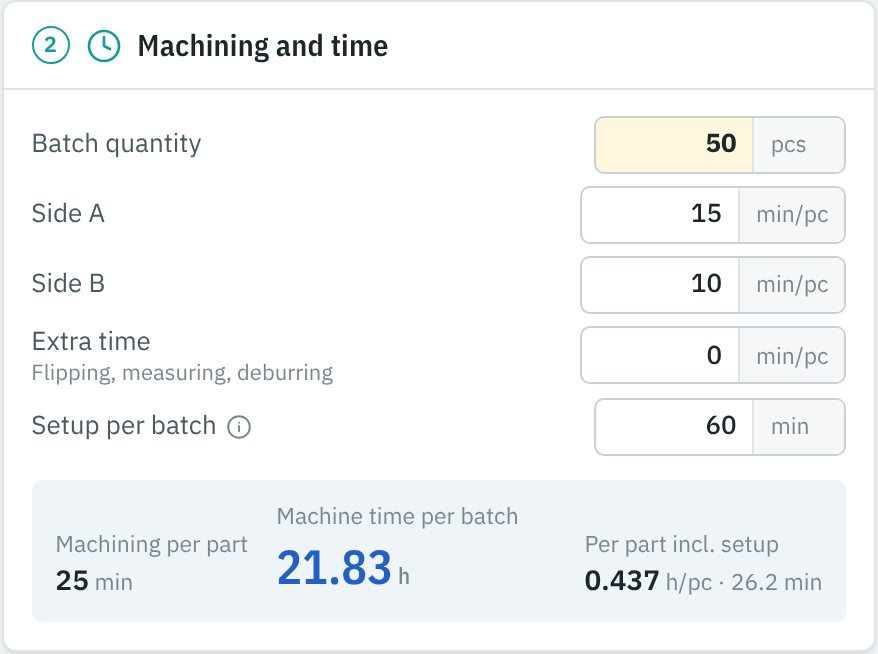
Cycle time, setup and tool wear
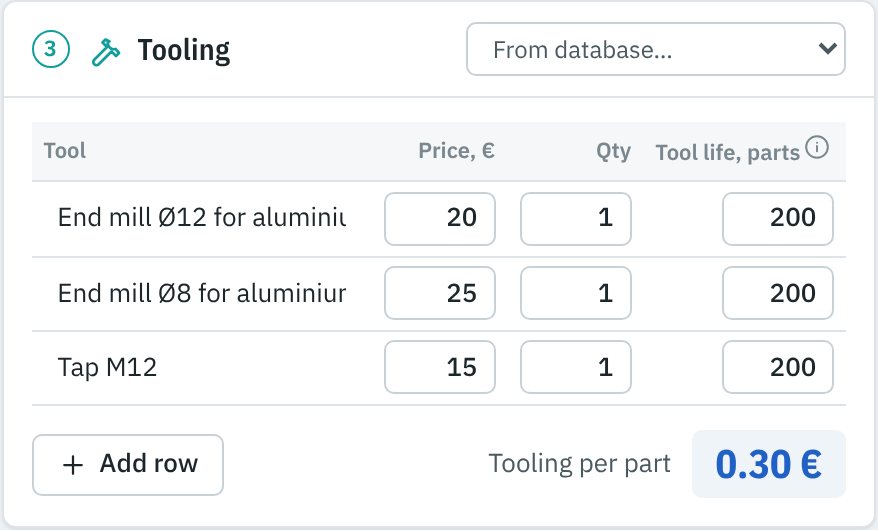
Machining time for side A and B, extra operations and batch setup. Tools are costed by tool life, so every end mill and tap ends up in the part cost.
- Setup spread over the whole batch
- Tooling table: price, quantity, life in parts
- Operator: full time or attendance factor
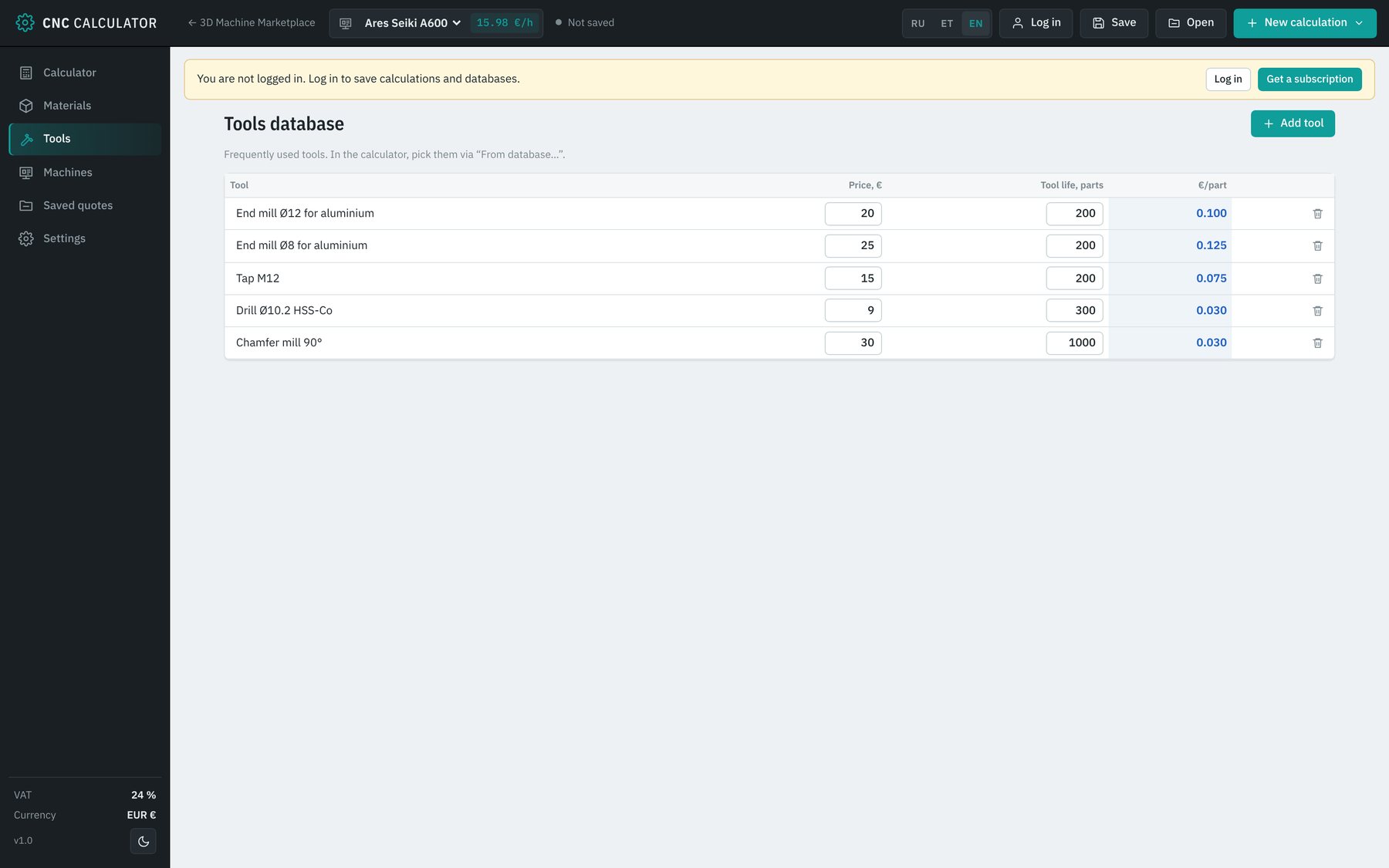
Every tool in the part price
Tools come from your own database or are added by hand. The tooling cost per part is shown separately.
- Price, quantity and tool life in parts
- Cost per part for each tool
- Add rows in one click
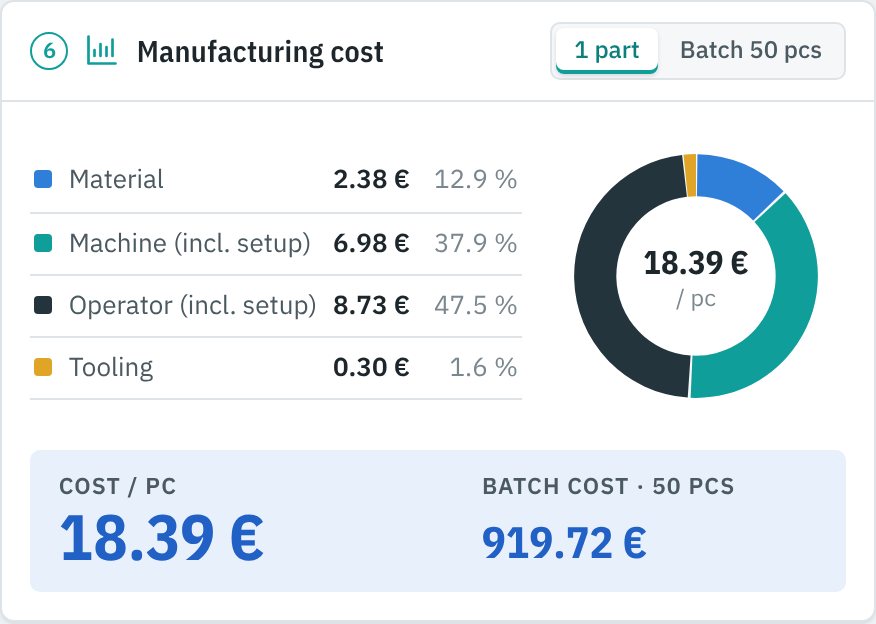
Cost per part and per batch
A breakdown into material, machine, operator and tooling with a chart, so you see at once what drives the price and where to save.
- Cost per part and per batch
- Share of each cost item in percent
- Other costs: packaging, coating, delivery
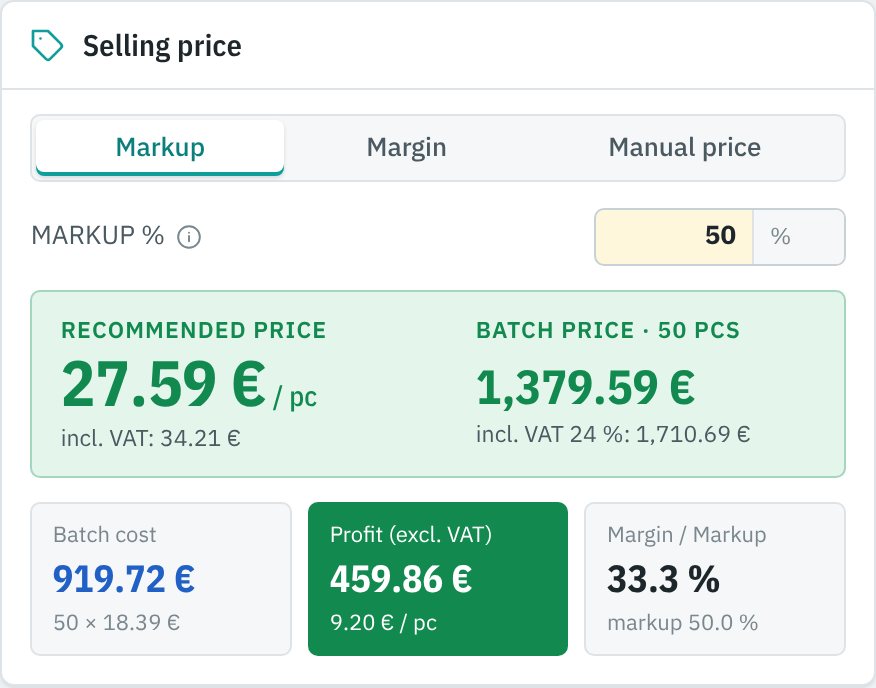
Markup, margin or your own price
Choose the method and see the profit per part and per batch, the actual margin and markup, with and without VAT.
- Markup and margin clearly separated
- Prices excluding and including VAT
- Batch profit in plain view
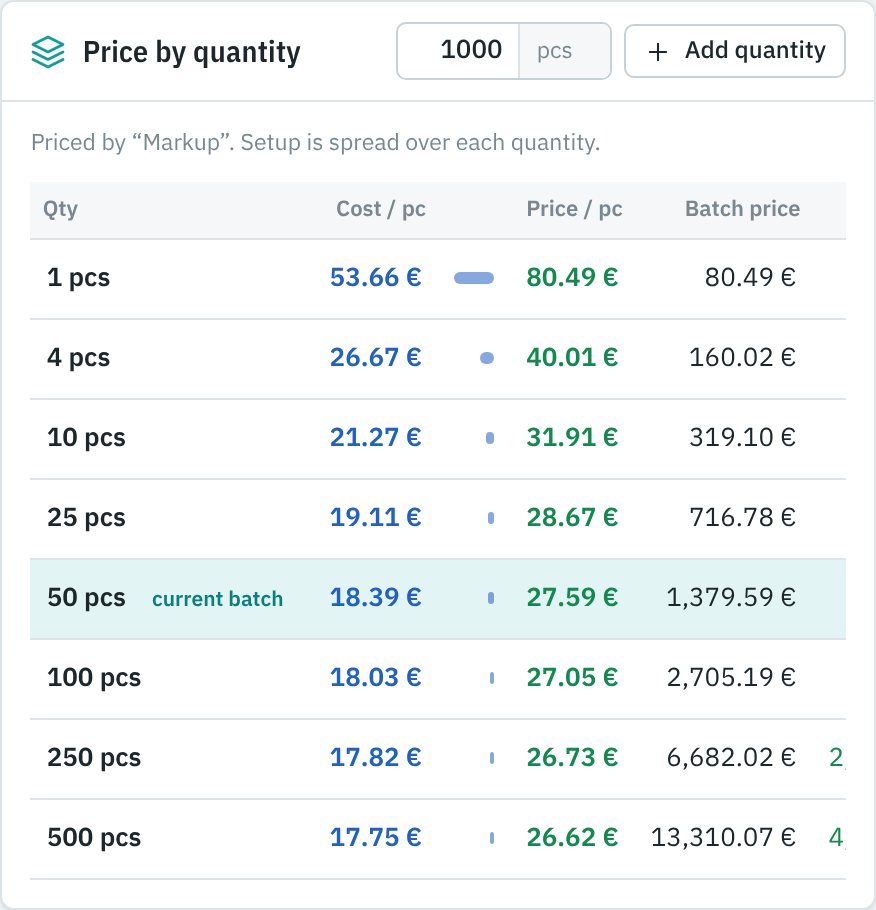
Price by quantity
One table answers the customer’s «what about 10, or 500?». Setup is spread over each quantity automatically.
- 1, 4, 10, 25, 50, 100, 250, 500 pcs at once
- Add your own quantities
- Cost, price, batch total and profit
Your own databases
Machines, materials and tools are entered once and reused in every calculation.
From drawing to quote in minutes
Fill in the databases once. After that, pricing a part takes a couple of minutes.
Sign in
Open the calculator and sign in. The free demo opens without an account.
Fill in your databases
Machines, materials with €/kg prices and tools with tool life. Done once.
Describe the stock
Choose machine, material and stock shape and enter the dimensions.
Enter the times
Batch quantity, machining time for side A and B, extra time and setup.
Add tooling and operator
Pick tools from the database, set the operator rate and mode.
Get the price and quote
Choose markup or margin, check the price by quantity and save the customer quote.
Want a calculator built around your prices?
Tell me how you price jobs today and I will build a tool around your own rules.